

I’m a long and triple jumper, and a precision engineer by trade. I wanted numbers from my own training videos: contact times, approach speed, takeoff angle. And I wanted each number to come with an honest idea of how far off it could be. Since June 2026 I’ve been building that, together with Claude, Anthropic’s AI model.
The split is simple. Claude writes the code. I test at the track and in the weight room, I label video by hand, and I decide what matters from the athletics side and how the screens should work. About 225 commits in, this is what we ran into.
What it does
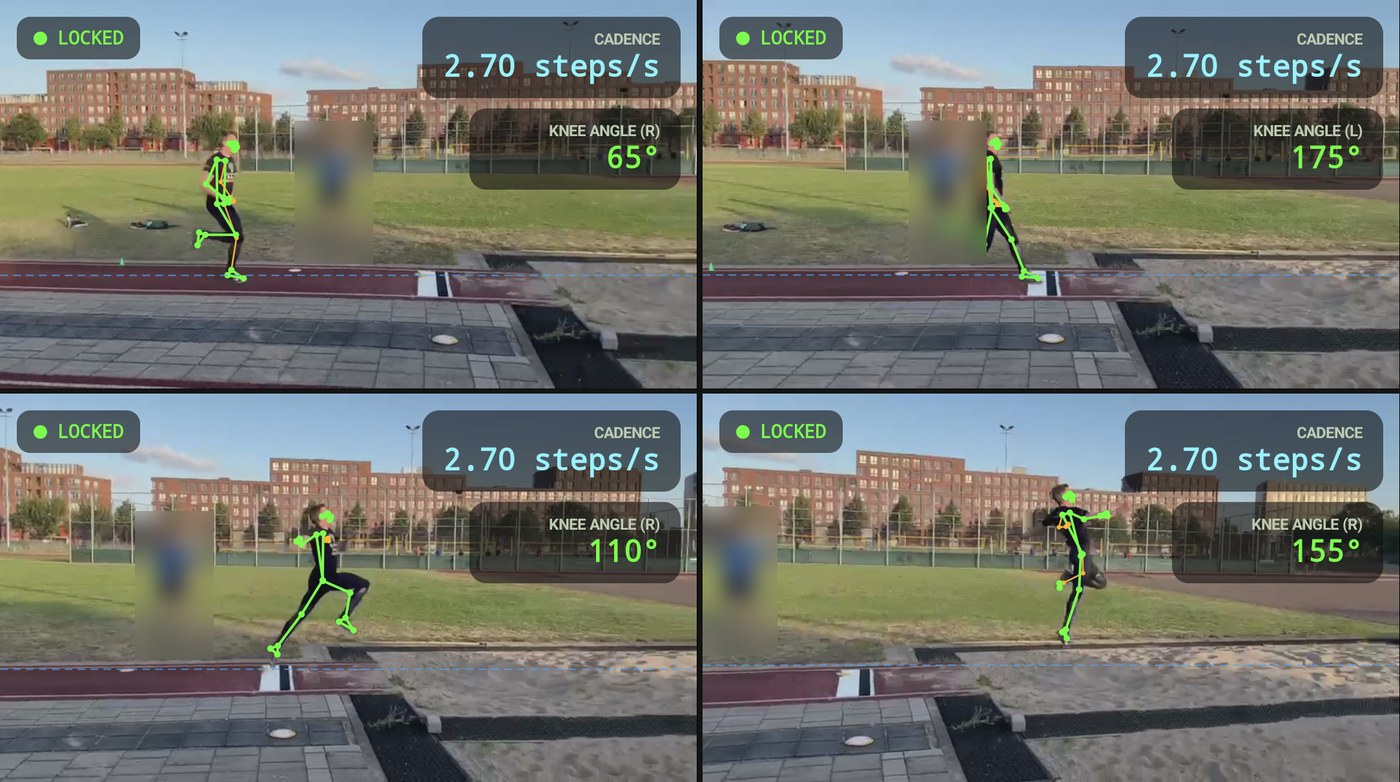
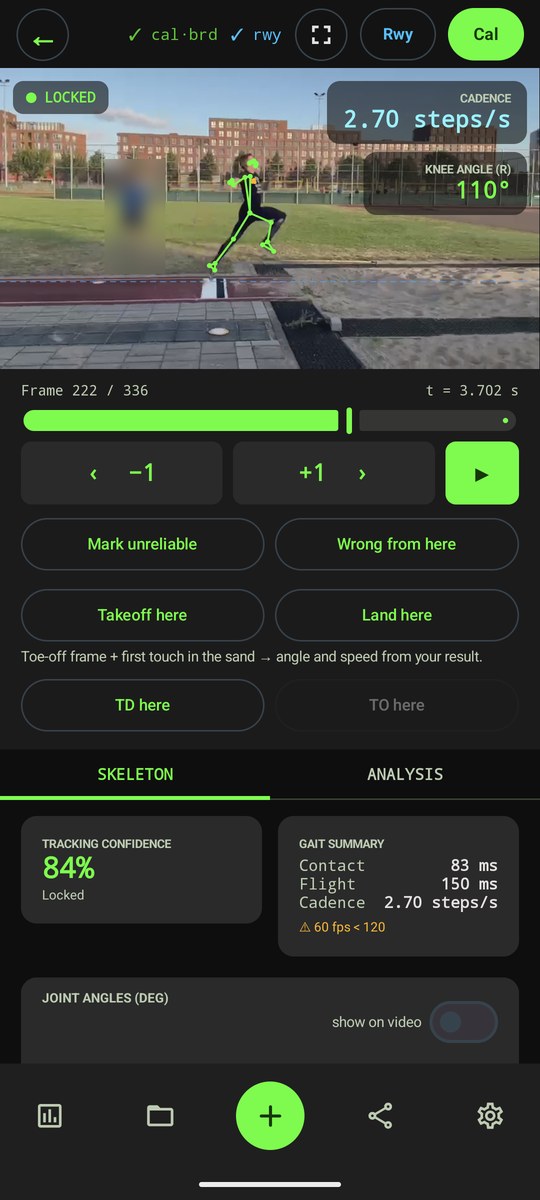
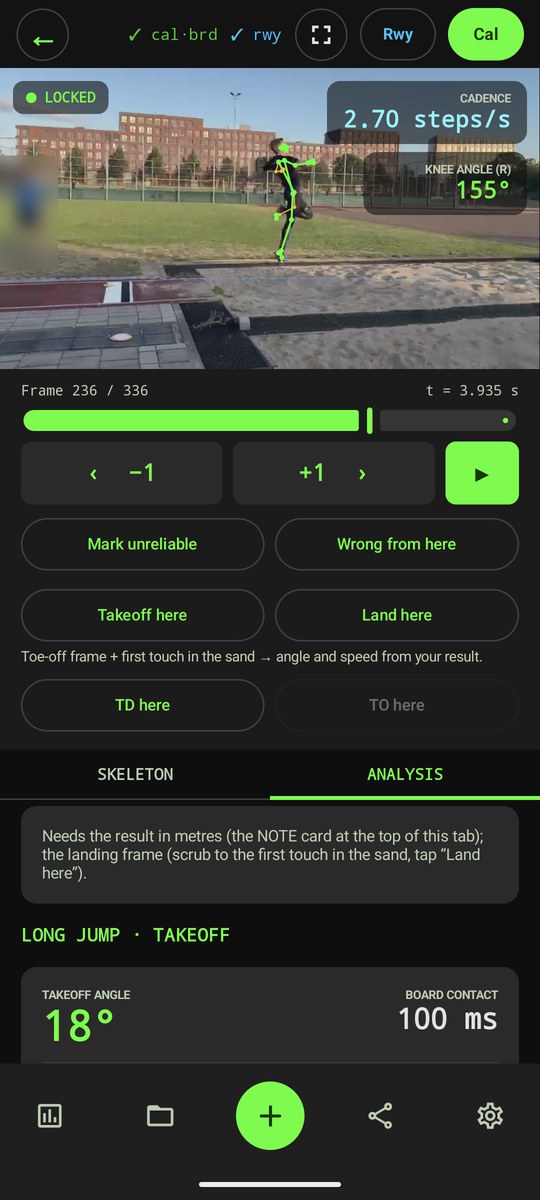
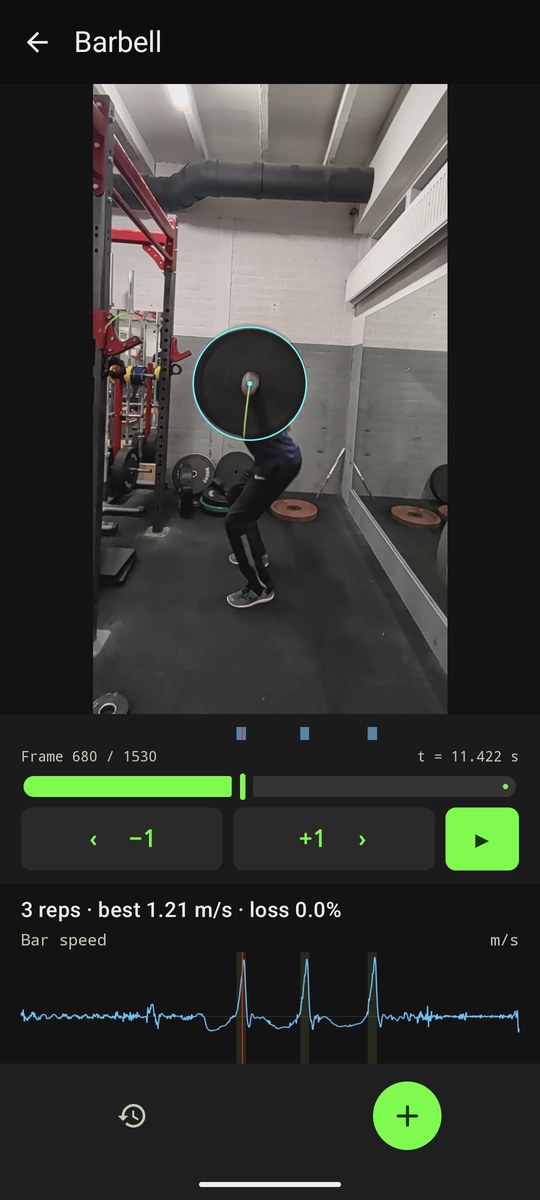
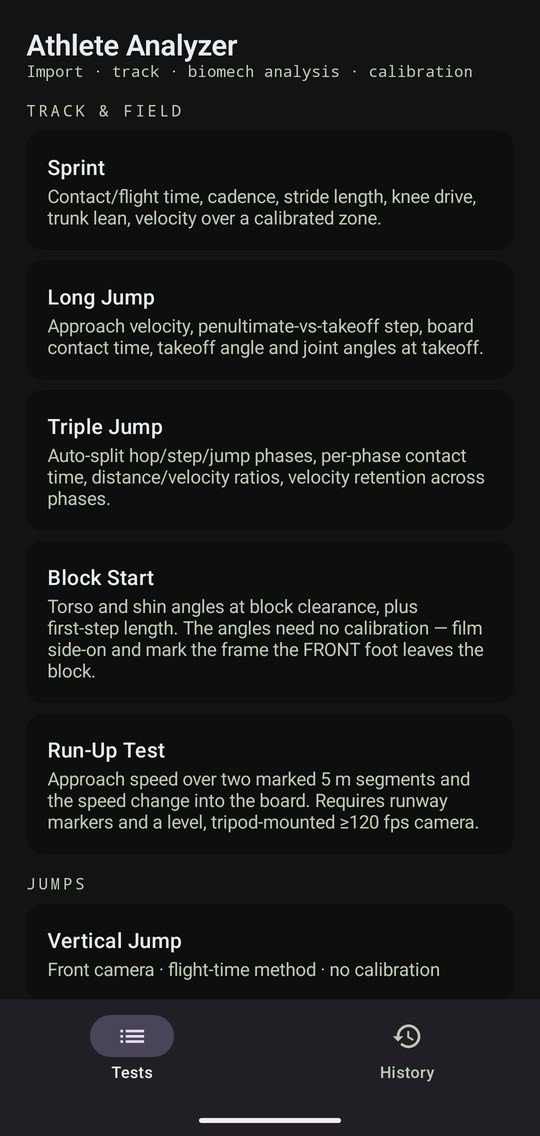
Athlete Analyzer is an Android app that measures jumps, sprints and lifts from a phone video. You film from the side, pick a discipline and tap yourself in the frame. The app tracks you, draws a skeleton over the video and works out the metrics for that discipline. Everything runs on the phone. There are now five video tests (sprint, long jump, triple jump, block start and a run-up speed test), plus vertical jumps and barbell velocity.
Ground truth first
The first tracker looked fine on screen and was wrong. In a competition clip it would quietly lock onto an official standing next to the runway. You can’t see that kind of error by scrolling through a video and nodding.
So we wrote a small Python tool, gt_label.py. I step through a clip and click where I am, where the bystanders are, and on which frames my foot touches down and leaves the ground. That is the ground truth. A second script, the scoreboard, runs the app’s own analysis against those labels and reports the error per ground contact in milliseconds. On my reference clip it finds 12 of 14 contacts, about 40 ms off on average. There are label files for 22 clips now.
The scoreboard changed how we work. Early on, a fix that looked right on the phone turned out to make the contact times worse. Since then the rule is that looking at the phone doesn’t count. A change is measured against the labels, before and after.
Most ideas didn’t survive
That rule is hard on ideas. A short list of what we tried and threw out:
- Detecting the ground automatically. It locked onto the treeline and got the scale wrong by a factor of three. We deleted it; I now tap the runway edges and the board by hand.
- Six different ways to find the exact take-off moment. Each got a written “this result would prove it wrong” before the test. All six failed.
- A reliability score based on how well the model sees my feet. It didn’t predict which clips go wrong.
- A fix built for a competition clip filmed from far away. It changed nothing on that clip. The real cause was that the video had gone through WhatsApp, which left me about 25 pixels tall.
The repo keeps a list of these so we don’t try them again. It also has a rule I like: every claim names the measurement behind it and the result that would have proven it wrong.
One finding I didn’t expect was about the takeoff angle. On one clip the first version read 52 degrees, which is nonsense for a long jump. The cause wasn’t the body model. It was the camera panning along with me. Corrected for the pan, that clip reads 24.
Where the athletics helped
Some problems were solved by changing the test, not the code.
Converting pixels to metres along a runway is hard, because the scale changes along it. For the run-up test I put cones at 11, 6 and 1 metre from the board. The app only times when my hips pass each pair of cones, so no scale is needed. The app, the Python script and my own frame-by-frame count agree within half a percent.
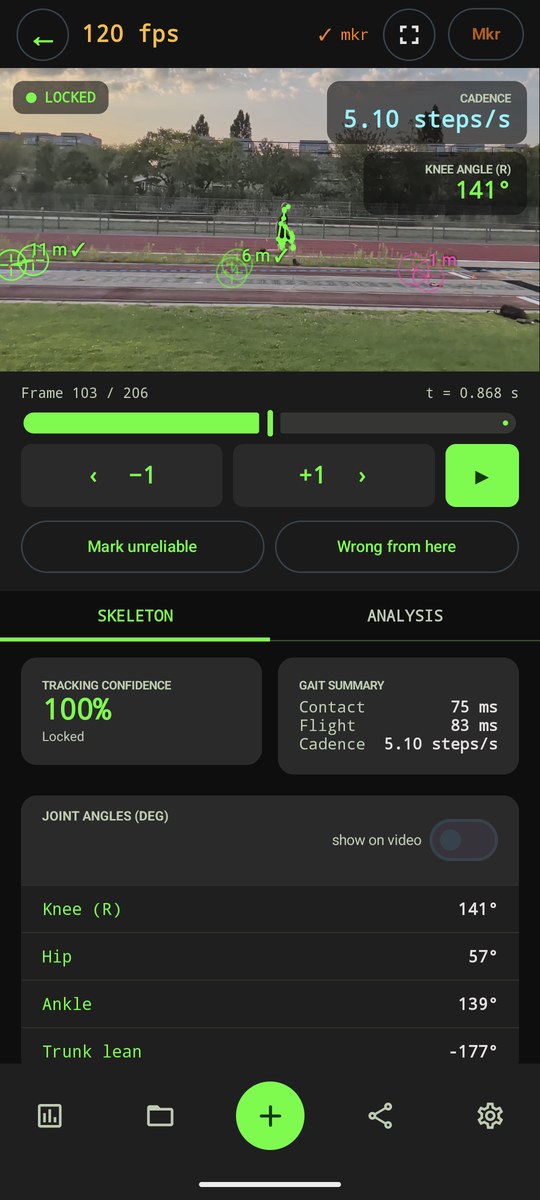
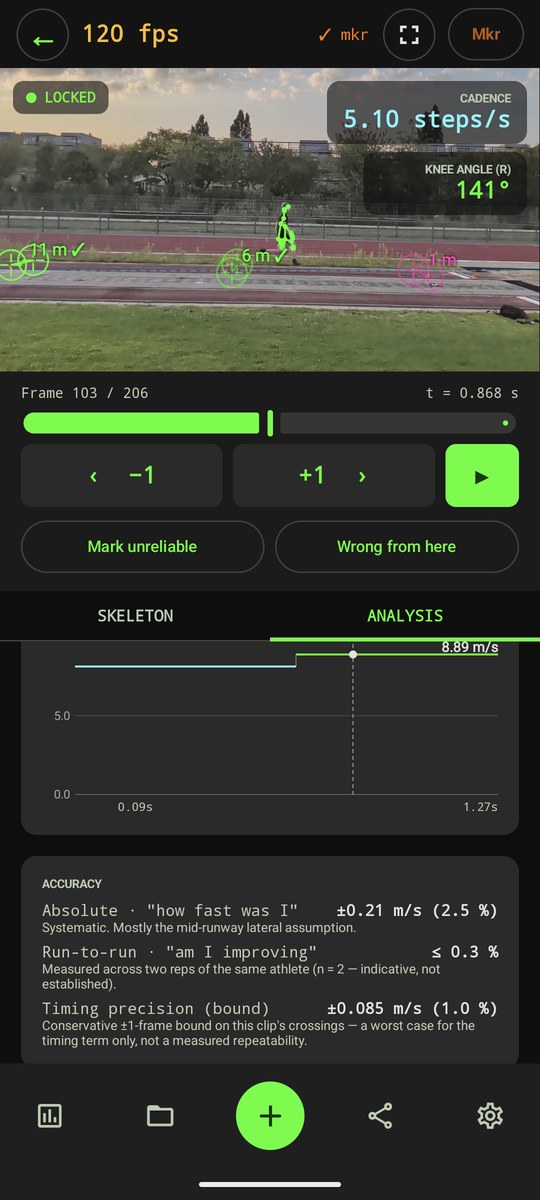
The same idea works for the jump itself. The official distance and the time in the air are enough to calculate takeoff angle and speed. My 6.42 m jump came out at 22.8 degrees and 7.87 m/s. It doesn’t matter how the camera moved.
Other things came from knowing the events. Approach speed is measured over the second-to-last step, because the last one is already part of the plant. A block start is cleared when the front foot leaves the block, not the rear one. And the vertical jump screen starts recording on its own and shows its text very large, because you stand two metres from the phone and can’t press or read anything.
Bugs you only find by using it
- I typed my height as 176. The field expected metres, so the app showed a 660 m/s approach. Every input now has a sanity check.
- A Dutch keyboard gives a comma as decimal separator. My 6,42 m jump was stored as 642 metres.
- First time in the weight room, the app counted reps on a bar that was sitting in the rack, and six of my seven sets disappeared. Both had clear causes once we pulled the data off the phone. After the fixes, four of six sets read three clean reps each.
Where it stands
The navigation is finished and all the tests share one review screen. Tracking still fails on some footage: takeoffs where the foot is hidden, and dark weight plates in front of a dark rack. The vertical jump hasn’t been checked against a force plate. A dropped plate should read 9.81 m/s²; ours read between 9.1 and 9.8, which is not good enough to call the speeds confirmed.
So it’s not done. The aim stays the same: a number comes with how it was measured, and the app says so when it can’t measure something.
Questions, or interested in working together? Get in touch.
Last updated: 3 October 2026